I’ve been listening to the Welcome to Night Vale podcast, starting from the beginning, for several weeks now. I’m almost caught up and I’m trying not to think about it. Usually it’s my soundtrack while making breakfast in the morning. Today, I had a special treat when I heard a familiar voice.
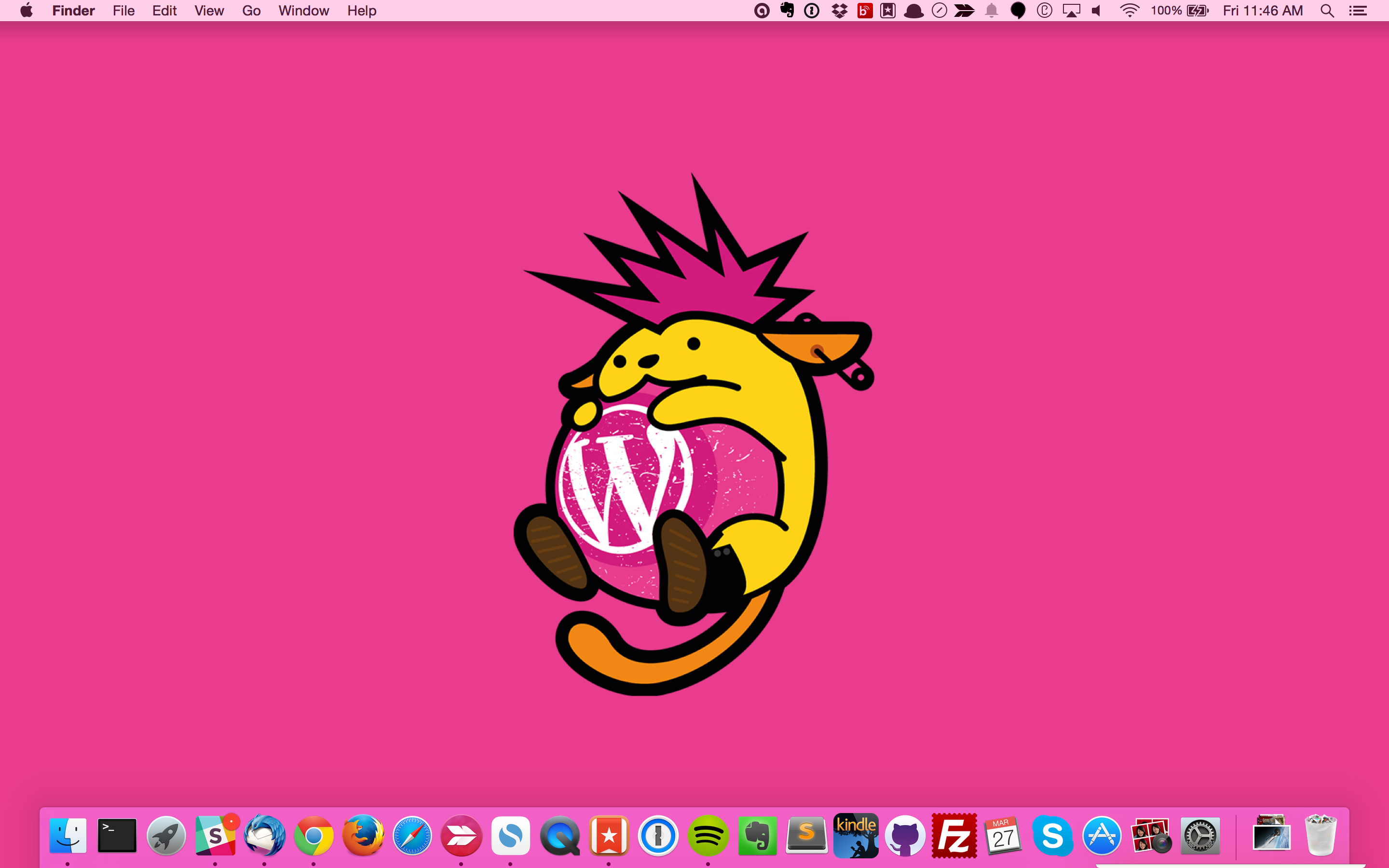
This punk Wapuu (“Wapuunk”) from WordCamp London is my new desktop wallpaper:
#WCLDN calling
Wapuu is open source (GPL) and you can get this newest iteration here, along with some other WordCamp London images that are now released under a Creative Commons License:
We were recently able to confirm that there was unauthorized access to a Slack database storing user profile information. We have since blocked this unauthorized access and made additional changes to our technical infrastructure to prevent future incidents.
The good security news to come of it: two factor authentication is now an option. I immediately enabled it for my Slack logins, and you should too. In fact, I’d recommend enabling two factor authentication anywhere you can. A good list of services that provide it can be found here:
I mentioned yesterday that my trip to WordCamp Dayton was also my opportunity to visit the Dayton Chess Club. The speaker and volunteer dinner was hosted there and it was a lot of fun. I asked the staff if I could have a tour and they let me go downstairs to see the tournament room.
The building is an old St. Vincent de Paul construction, so it’s cement everywhere. Very sturdy, and best of all very quiet. Even with the loud conversation upstairs in the common area, you can’t hear it at all in the tournament room unless folks are right at the top of the stairs. Very nice environment for chess.
The walls have posters for top-level chess matches and chess-related artwork. Apparently there is a person in Dayton that owns one of the worlds largest collections of chess posters and art, and they keep rotating out a bunch of them for display at the chess club. Very cool pieces there.
Or…”WordCamp Dayton: So much to think about I had to wait a few days to write about it.”
This weekend had a lot of firsts for me. My first WordCamp, and first Happiness Bar volunteering. My first time meeting some of my fellow Automatticians, including Jackie Stachurski who was my trial buddy last year. My first time at the Dayton Chess Club, which I’ve talked about visiting for about 7 years.
But really what I left with was not a feeling of accomplishing firsts, it was a feeling of how much is out there that I need to reach further to understand. Just by helping out in the Happiness Bar I learned of a ton of new problems that are pretty common but I just don’t see everyday in my work. Also tons of plugins and themes that I’ve never experimented on but seem like I should really know more about them. Most importantly, I feel more than ever that I’d like to be more active on the development side.
I know I’ve already got the knowledge to create at least simple plugin, but I’ve just never set aside the time because I figured no one would be impressed by anything I can do. It’s probably true, but I learned that’s really not the point at all.
I’d really like to play in Buddypress but always figured it was just one step beyond where I’m at — and now I’m pretty sure I could wrangle it at least enough to be dangerous.
WordCamp was a great success to me because when I left I couldn’t stop thinking about the projects I wanted to do that were all WordPress related. It was really fun being with rooms full of people that all just wanted to get better at what we do.
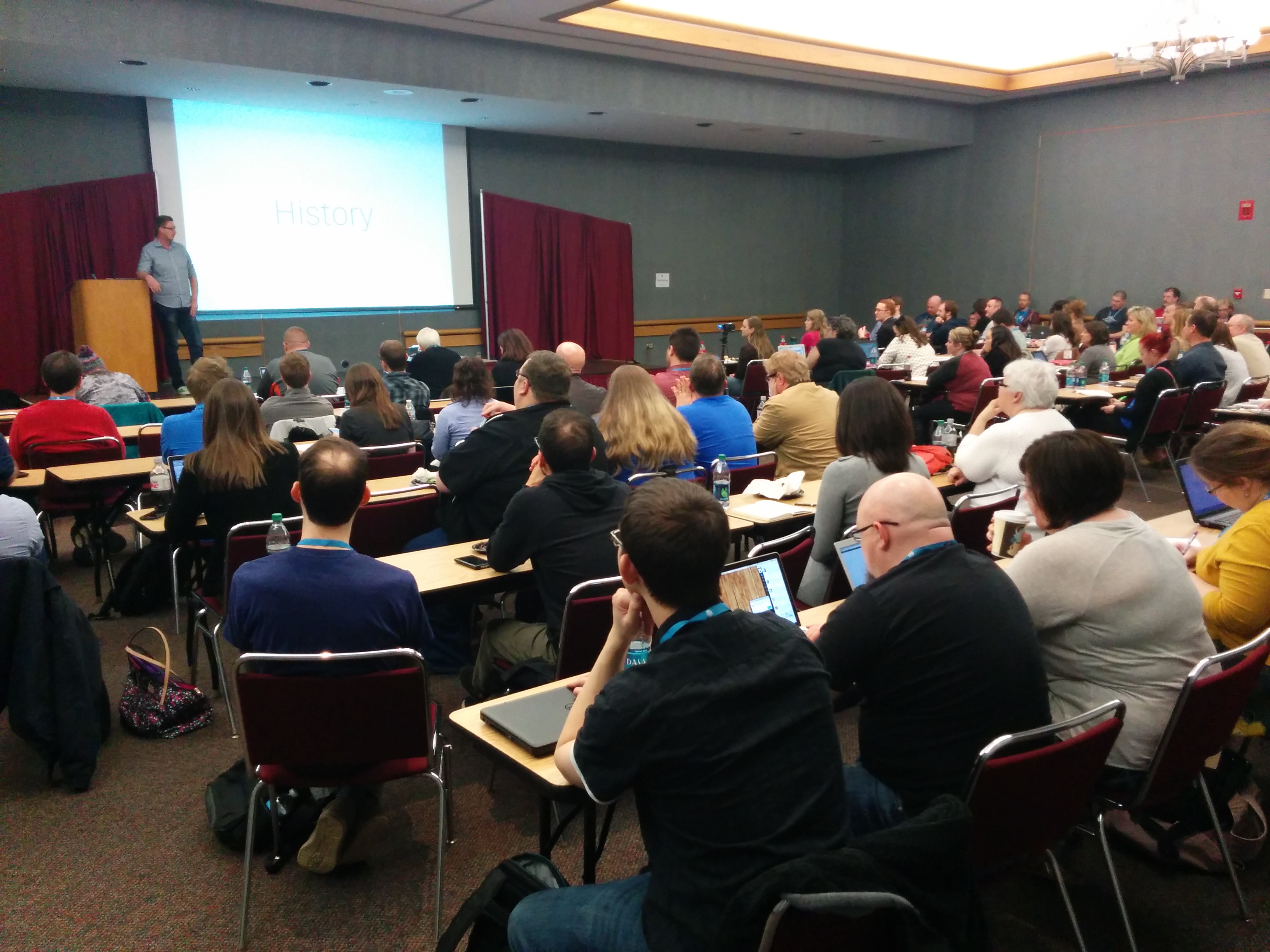
I didn’t get to attend all that many sessions. Most of my experience was in the Happiness Bar and the hallways conversations that really make an ‘un-conference’ event great. But I very much enjoyed the Keynote from John James Jacoby. And once it comes out on WordPress.tv I’ll make sure to link to it.
@JJJ giving the keynote at WordCamp Dayton
Needless to say, I’ll be attending more WordCamps in the future. I’ll leave you know with a load of fun stuff that went on during the event…
John Parkinson interviewed JJJ for WordPress.tv:
Some of my favorite tweets from the #WCDayton stream:
When the designers at WordPress.com released the theme, Hew, I immediately liked it. I had been using Vertigo because it was unique and odd, just like me. It also used post formats, which I like.
But Hew gave me a chance to turn my page into something less driven by the theme itself and more representative of me. And it still had post formats. 🙂 When you start off, Hew looks like this:
A simple layout… hidden widget area… sections of color… cool. But there was work to be done.
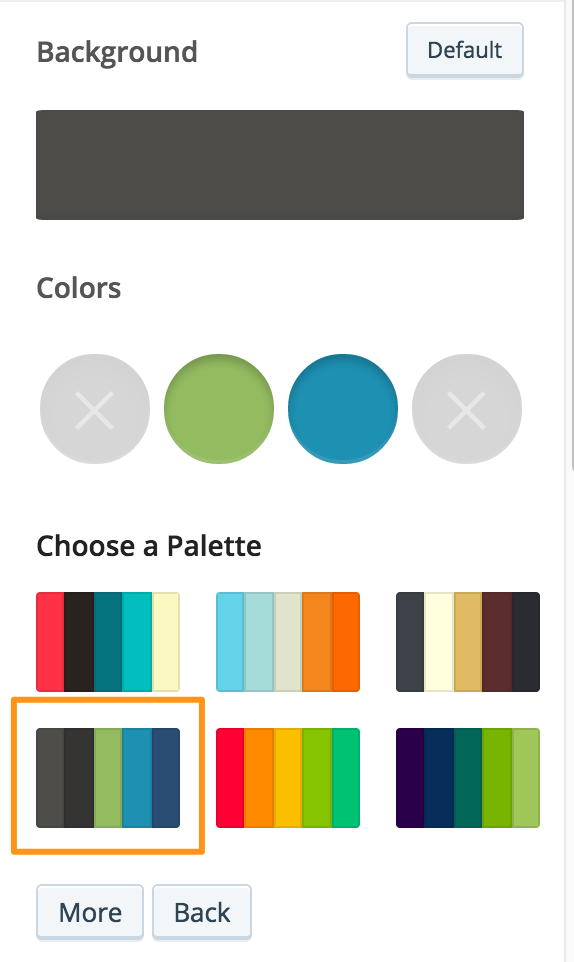
I loaded up my Customizer to look at colors. I live my life in greens and blues, so I picked out a palette first that had some green and blue with dark grey.
Theme doesn’t need all the colors? Even better.
After picking the palette, I found a few color irregularities but fixed those up in the CSS.
I stuck with the default theme font, because I am not a font nerd. Not comic sans or papyrus? Then we’re all set.
Hew automatically sets your header image (tiny little square at the top) to your Gravatar, which is good because I don’t feel like updating my face in more than one place anyway. Gravatar, FTW.
When I made the theme switch I also adjusted my navigation menu. In Vertigo the navigation is below the content, so I treated my links there similar to “More Posts” links. Lots of category pages. Not the case in Hew, so I edited down to just “About” and my reading updates (which I’m doing poorly.)
Hew also uses a social links menu, so I whipped up one of those with my Facebook, Twitter, Untappd, LinkedIn, and WordPress.org profiles. WHAT? Genericons doesn’t have an Untappd icon? It’s okay. There’s a billion social networks and a lightweight icon font shouldn’t have them all. I’ll fix it in the CSS later.
Widgets! I used to have a Twitter timeline at the bottom of my page in Vertigo. With a social links menu, this seems bizarre because why have my timeline when you can click on the little birdy? Gone. I still have the Goodreads widget appear (on my reading posts only) and left some of the navigation links. I really like having this kind of thing hidden behind the menu button.
And then the big stuff, CSS. In 53 lines of it, this blog becomes my customized creation. My first step, wrangling my damn 2015 Reading page. And I’m not talking about how slowly its filling up with books I’ve read either. No! The display-posts shortcode is handy, but tough to keep it all looking pretty. Here’s what I’m running to help:
So far it seems like this avoids any weird lines beneath the images, and keeps each listing looking separated enough.
Next up, refine those colors:
/******************************

Make stuff match the header color: Line under links, botton colors

******************************/

.entry-content a {

border-bottom: 1px solid #94BA65;

}

button, input[type="button"], input[type="reset"], input[type="submit"], #infinite-handle span {

background-color: #94BA65;

}

/******************************

Change widget wrapper color to something with less blue

******************************/

#widgets-wrapper {

background-color: #2790A0;

}

/******************************

The comment meta box should match the header color

******************************/

footer.comment-meta {

background-color: #94BA65;

}
I seriously should live in a world where only 3 colors exist. Makes things easier to match. I think my wife still finds the widget wrapper to clash with the green. But I like it.
Remember that missing Untappd icon? Yeah we can fix that. Eric Coram, real man of genius, had an untappd transparent icon which I found through google images. I took that one and made some adjustments for my needs. That’s the beautiful icon you see up in my menu now. In the Custom Menu settings you can set CSS classes for menu items, and I made use of that to make an “untappd” class for my CSS:
/******************************

Change the untappd icon in social links menu

******************************/

li.untappd a::before {

content: url('https://alexjgustafson.blog/wp-content/uploads/2015/02/icon-untappd-2561.png');

margin-top: -6px;

margin-bottom: -8px;

}
And last, but not least, my big long name caused some problems. On smaller screen widths, Hew would cut off my name and overflow it with an ellipsis. I did not want this. So I added a media query to change the title’s font size instead:
@media screen and (max-width: 509px) {

.site-title a {

font-size: 70%;

}

}
While writing this post, I also noticed that code styling in Hew isn’t too distinct from standard text. So I added some CSS to clear that up too:
code{

display: inline-block;

margin-left: 50px;

}
The customization never ends! But this is what I’m running. Feel free to steal copy any of it for your use as well.
I’m going to be helping out the community in Blogging 101. It’s a great resource if you need some help or motivation on your blog. I helped out with Blogging 201 in February and the folks were a lot of fun. 🙂
We’re excited to offer two Blogging U. courses this March: Blogging 101 and Photography 101. Read on to learn more about each course, see how Blogging U. works, and register!
Blogging 101: Zero to Hero — March 2 – 20
Blogging 101 is three weeks of bite-size assignments that take you from “Blog?” to “Blog!” Every weekday, you’ll get a new assignment to help you publish a post, customize your blog, or engage with the community. Whether you’re just getting started or want to revive a dormant blog, we’ll help you build blogging habits and connections that will keep you going over the long haul.
You’ll walk away with a stronger focus for your blog, several published posts and a handful of drafts, a theme that reflects your personality, a small (but growing!) audience, a grasp of blogging etiquette — and a bunch of new friends.




 Alex "Gus" Gustafson